Documentation
Language watches
Two monitors under Find → Language: Phrases for short saved searches, and Clauses for specific model language that may resurface.
Phrases
Phrase watches are Lexis-style saved searches: short terms like “economic incentives” or “artificial intelligence”. Billy finds provisions where that phrase appears as contiguous text and alerts you when new bills match.
- Open Find → Language → Phrases and enter a 2–80 character phrase (optional label).
- Review matches grouped by bill; confirm or dismiss hits as you triage.
Clauses
Clause watches fingerprint a specific provision or pasted model language. Matching uses similarity / containment so lightly edited reuse still surfaces — including “zombie language” from dead bills.
- Open Find → Language → Clauses and paste the language to follow (optionally add a label).
- Or, from the Diff Viewer, select text and click Watch clause so the source bill stays attached.
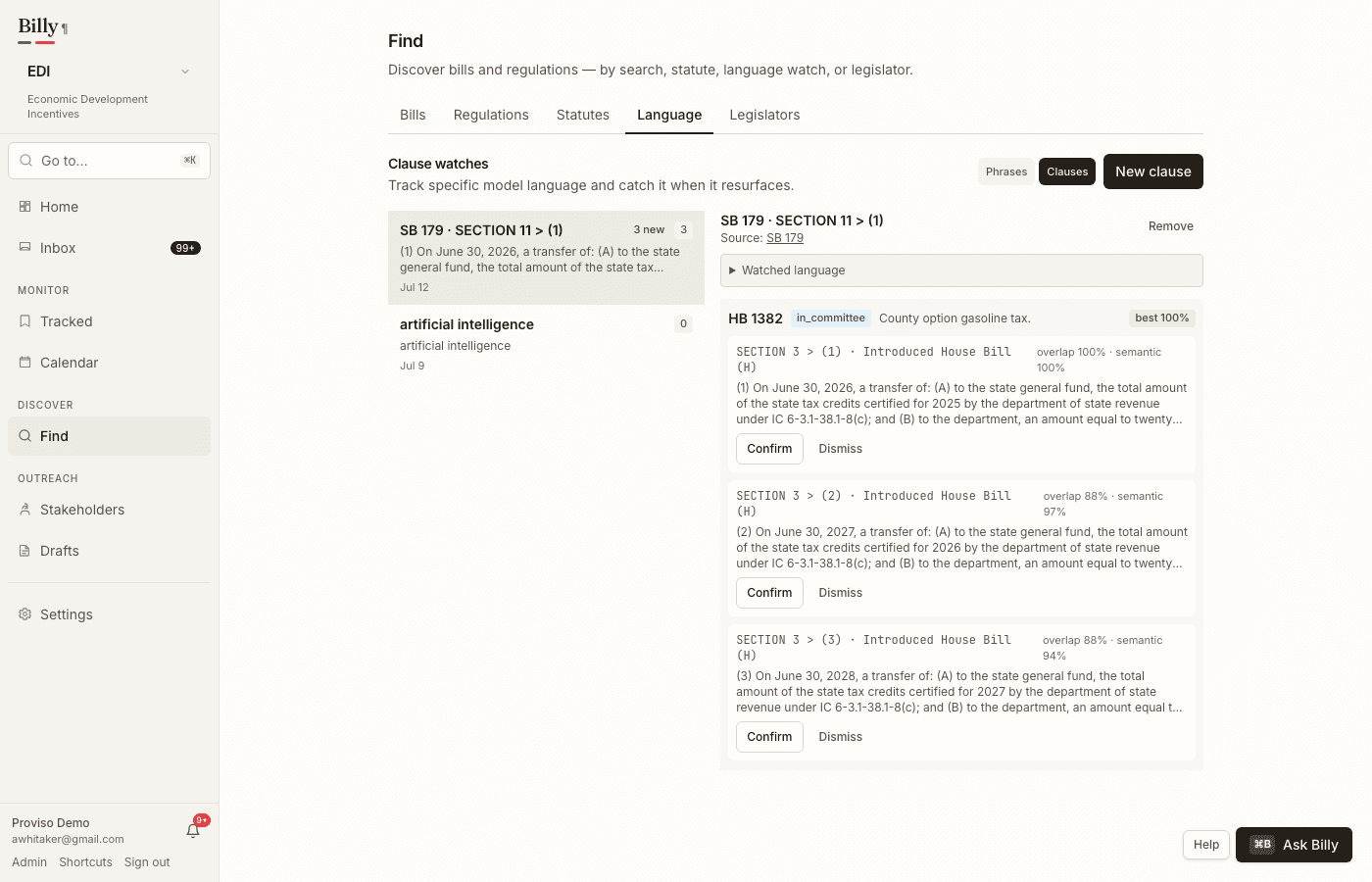
How matching differs
- Phrases — exact contiguous phrase match (case and whitespace insensitive).
- Clauses — MinHash / containment with embedding re-rank for near-verbatim and paraphrased reuse.
Zombie language and resurfacing
When language from a dead or stalled bill appears elsewhere — or when a clause you watched shows up in a new version of another bill — the clause watch surfaces a new match. Phrase watches likewise fire when the watched terms appear in newly processed text.
Cross-jurisdiction spread
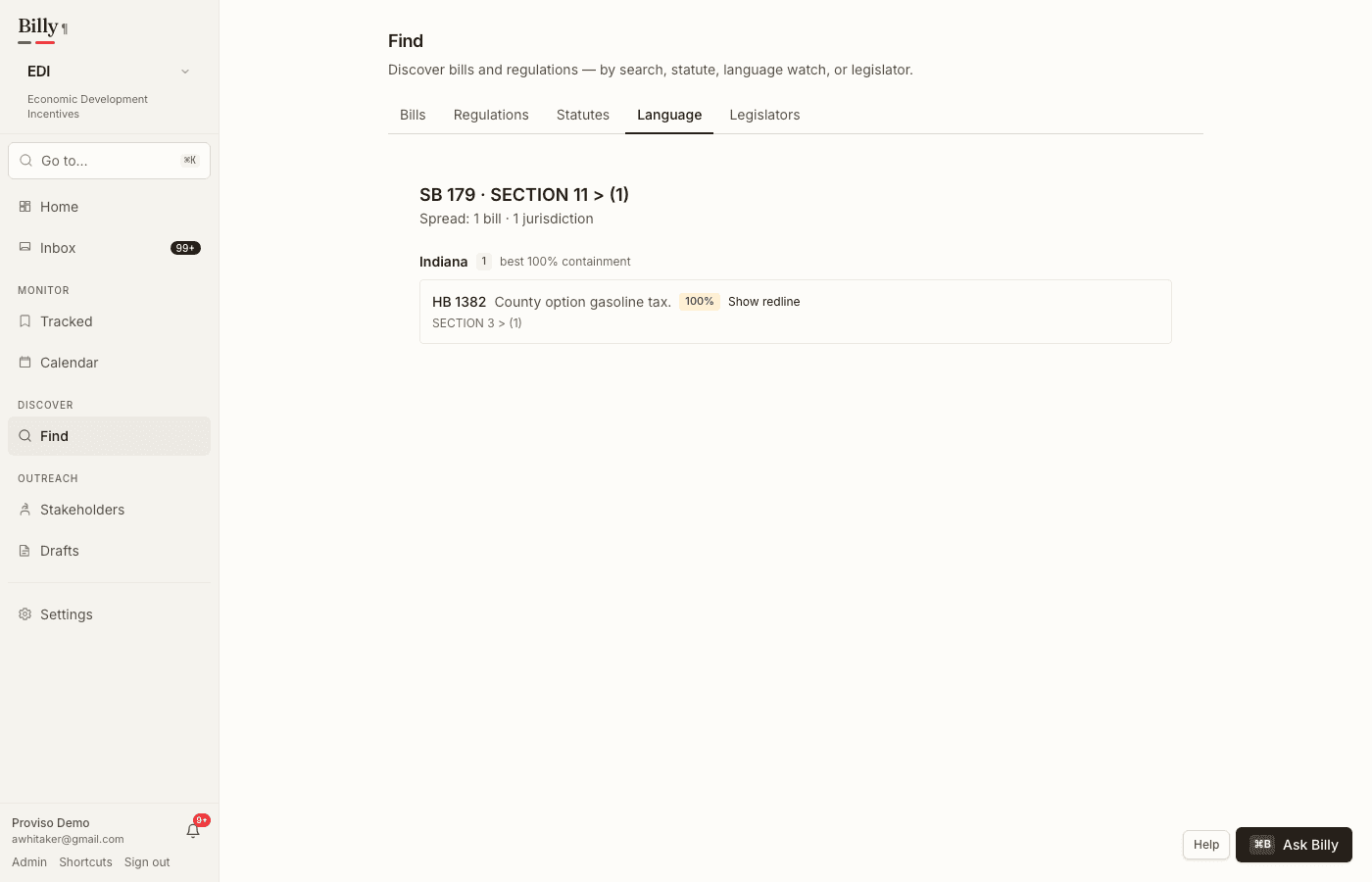
On a clause watch, open Spread to see where that language appears across states — bills grouped by jurisdiction, with containment scores and optional word-level drift against the watched text. When the same clause shows up in two or more jurisdictions, Billy also emits a feed language_spread event (phrase watches do not, to avoid boilerplate noise). Useful as model-bill / zombie radar — not a full national policy graph.
Review matches
- Confirm — mark a hit as relevant for your matter.
- Dismiss — clear noise without deleting the watch.
- Jump to the matched bill to open the Diff Viewer, set a position (support / oppose / monitor / amend), or track it for ongoing alerts.
Limits
Phrase and clause watches share your organization’s watch limit. See Plans & limits.