Documentation
Legislators & committees
Follow the people carrying the bills you care about — who they are, where they sit, and how they line up with your positions.
Open a legislator
- On a bill overview, click a sponsor name (party and classification show beside the link when available).
- From Find → Legislators — sponsors ranked by bill activity, with photos and alignment badges where available.
- From ⌘K, type a name — legislator hits appear alongside bills.
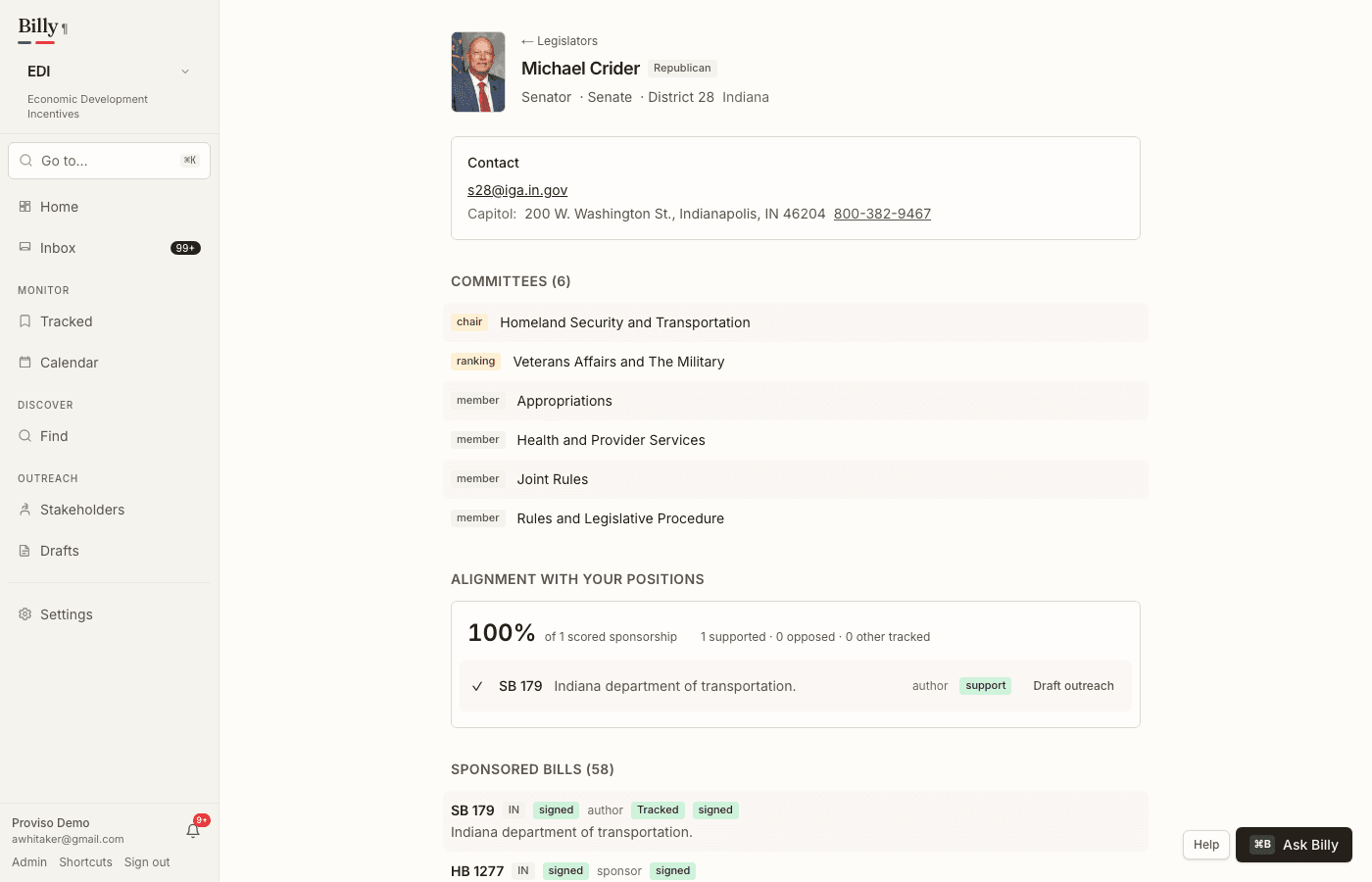
A legislator page shows role, chamber, district, and party, plus a contact card (email and office phone lines where published), their committee assignments with role marks — a chair icon, a party-colored trophy for ranking members — and every bill in Billy’s corpus where they appear as a sponsor. In a workspace context, badges mark which of those bills you already track or still have open as suggestions.
Committees
Inside a workspace, the committees directory defaults to committees hearing bills you track or that were suggested for that workspace — not every committee in every state. Switch to All in workspace to browse the full roster directory for your jurisdictions. Committee pages carry the full roster (linked back to each member), subcommittees, upcoming hearings from the Calendar, and recent bill referrals. Directory data refreshes daily from public sources — OpenStates for the states, the congressional directory for federal members and rosters.
Alignment with your positions
When your workspace has taken positions, legislator pages add an alignment panel: how many of your supported tracked bills they sponsor versus opposed ones, with the per-bill breakdown beneath. The sample size is always shown next to the percentage — a one-bill 100% never reads like a twenty-bill record.
Not in product yet
- Staff directories — the shape is ready, and staff appear on member and committee pages as data becomes available.
- Vote-based alignment scoring and co-sponsor network views.
- Cross-session career timelines.