Documentation
Notifications
Stay current without living in the app — feed, email digests, and Slack.
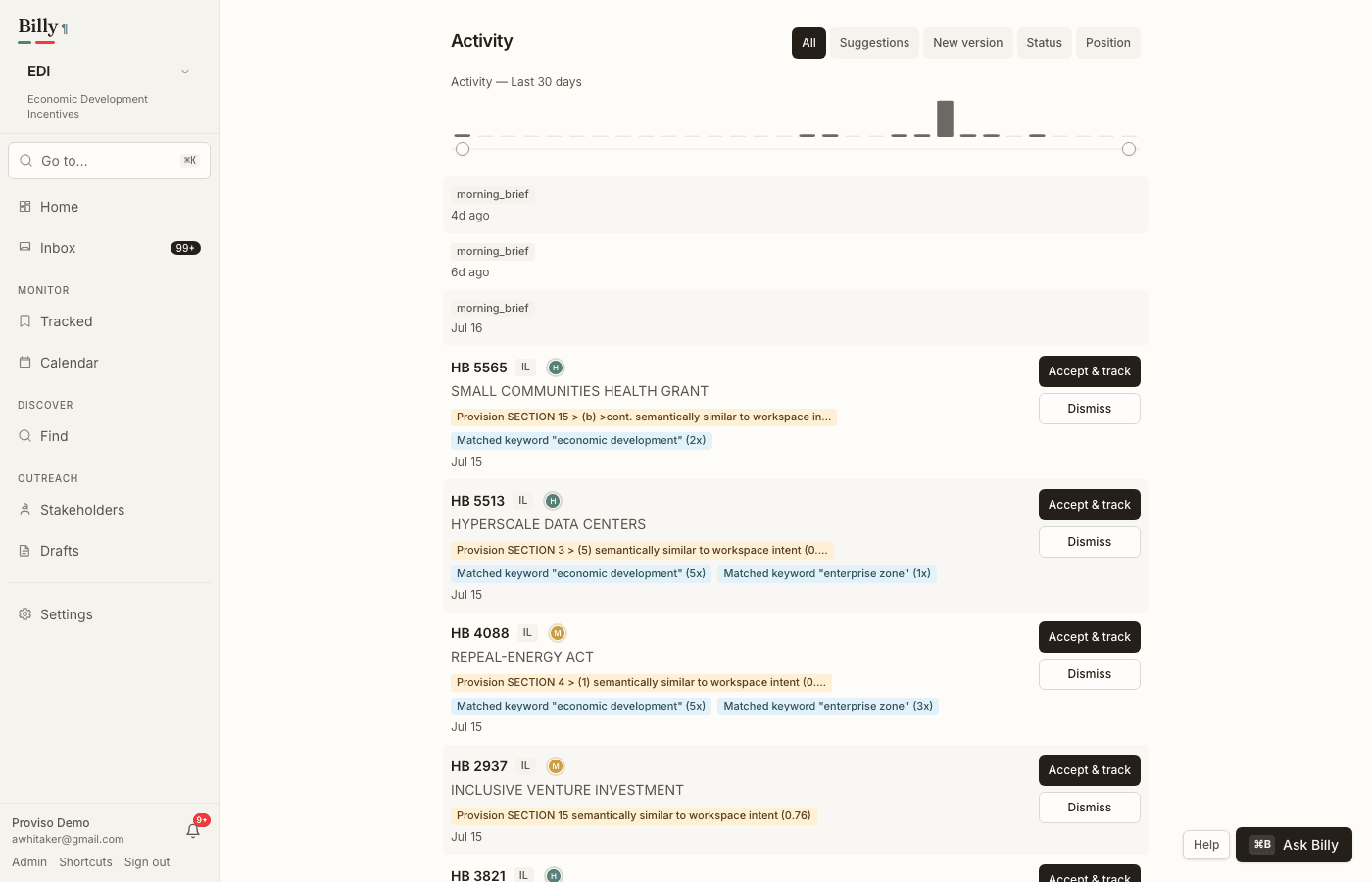
Activity feed
The workspace Feed is reverse-chronological by source date (when the legislature filed the version or action), not when Billy ingested it. New versions of tracked bills show the AI change headline inline when ready — while a summary is still generating, the row shows a small amber “Summarizing…” indicator. Each new-version row also carries a compact size meter (edit volume: +n/−m words) and, when the rollup is ready, a confidence orb (AI trust, not legal impact). Status changes, language-watch hits, and related events appear in the same stream. The Suggestions chip jumps to Find → Suggestions for accept / dismiss triage with reason chips. Other chips filter by event type (New version, Status). A per-jurisdiction “data as of” freshness footer helps you calibrate trust — see Coverage.
Email digest frequency
In Settings → Notifications, choose how aggressively Billy emails you:
- Realtime — email as events fire (highest urgency).
- Daily — batched digest (default for many teams; typically morning ET).
- Weekly — lower cadence for monitor-only matters.
Workspace default frequency applies to members; individuals can override with their own preference when the plan allows. In-app notifications (bell) fan out regardless of digest batching.
Slack webhook
- In Settings → Notifications, click Connect Slack. On plans that include Slack, paste an Incoming Webhook URL and save.
- If Slack isn’t on your plan, Billy shows that after you click — it doesn’t advertise the upsell until you try.
What generates alerts
- New versions of tracked bills (headline appears on the version row when the AI summary finishes; digests/Slack also note summary-ready)
- New suggestions and resurfaced suggestions
- Status changes on tracked bills
- Hearings — a tracked bill lands on a committee agenda, or a scheduled hearing changes its date, time, or room
- Regulations — stage changes, new documents on a tracked docket, and comment-deadline reminders (7 days and 1 day out)
- Saved-search matches (see below)
- Summary review activity and language-watch matches
- Roll-call votes on tracked bills when tallies are published (
vote_recorded) - Language spread — a clause watch appears in two or more jurisdictions (
language_spread; see Language watches) - Morning brief when overnight activity is worth narrating (see Agentic assists)
Saved-search alerts
Any keyword search under Find → Bills can be saved. Billy re-runs saved searches hourly against fresh legislative activity; each new match lands in the feed and the bell once — a bill never alerts the same search twice. Saved searches appear as chips under the search box, where one click re-runs them and the × removes them.
RSS feeds
For readers, internal dashboards, or a Slack RSS app, Billy publishes public feeds of recent activity — no account needed, filterable by jurisdiction and keyword:
- Bill activity —
/api/v1/rss/bills.xml?jurisdiction=in(optionally add&query=…) - Rulemaking activity —
/api/v1/rss/regulations.xml?jurisdiction=us