Documentation
Workspaces & matching
How Billy decides which bills belong in your workspace — and when a dismissed bill comes back.
What you care about
This is the human-readable mission — what digests, chat, and outreach use to stay on-topic. Write it naturally (“Track AI, privacy, and national security for our clients”). In Settings it’s labeled What you care about.
Matching language
Billy embeds separate matching language (the match brief) for semantic scoring against bill text. Prefer concrete policy nouns (“artificial intelligence regulation, foundation models, data privacy”) over meta phrasing (“track / monitor”). When matching language is empty, Billy falls back to embedding what you care about.
In Settings, Ask Billy proposes matching language and optional keyword / statute adds — accept what you want, then Save to re-embed and re-run matching.
Keywords and phrases
Keywords contribute to the composite score. Phrase matches are weighted more heavily than single tokens. Use the language your bills actually use — “tax abatement,” “data center,” “TIF” — not only abstract policy labels.
Statutes you watch
Watched statutes are the strongest signal. A statute match alone can surface a suggestion even when the composite score is below threshold. Matching is prefix-based: watching IC 6-1.1 also hits IC 6-1.1-12.1-4.
Per-state format examples
- Indiana:
IC 6-1.1-12.1,IC 5-28 - Federal:
26 USC 48,42 U.S.C. § 1983 - Illinois:
35 ILCS 200 - Ohio:
ORC 5709.40 - Kentucky:
KRS 154.32 - Tennessee:
TCA 67-5
Enter statutes in the normalized form Billy shows in Settings (for example IC 6-1.1 · 26 USC 48). When a diff or summary cites a code section, chips link into the statute dashboard.
Suggested and verified statutes
Billy also recommends code chapters matched to your focus — in Settings, during workspace setup, and on Find → Statutes — each grounded in the published code with a count of pending bills touching it. One click adds a recommendation to the statutes you watch.
When Billy proposes statutes (during setup or Ask Billy), each one is checked against the ingested code. A statute that isn’t found in the published code gets a highlighted chip and a note so you can decide — keeping it is sometimes right, since a pending bill may be adding that very chapter. Verification follows the jurisdictions with ingested code text, and that coverage is expanding.
Jurisdictions
Workspaces must select Federal / states / territories explicitly — an empty list is not allowed, and there is no implicit “all jurisdictions.” Use Select all when you truly want every id. Free plans cap at two jurisdictions per workspace. Only actively polled jurisdictions continuously ingest new versions; others can be activated as coverage expands. DC appears on the coverage map under Federal. See Coverage & freshness.
Score threshold
Each new or updated version is scored against the workspace. Default weights:
- 45% semantic similarity (intent ↔ provision embeddings)
- 30% keyword / phrase hits
- 25% statute prefix hits
If the score is ≥ min_score (editable in Settings), Billy upserts a suggestion with human-readable reasons and machine evidence spans. Amendments re-score the changed provision set with a boost on the semantic component so new language can discover previously irrelevant bills. A statute match alone can still suggest even when the composite score is below threshold.
Retrieval upgrades improve recall without changing the weight formula: provision embeddings can include one-hop statute context (titles of sections the bill amends or cites), and scoring considers both whole-bill and best-section similarity so a single relevant clause in an omnibus bill still surfaces. When enabled for a workspace, short key-information elements extracted from your focus fold into the keyword component.
Statute checklists
For watched citations with published code text, Billy can generate a short applicability checklist — atomic yes/no criteria for whether a bill truly engages that statute. High-scoring suggestions are evaluated against the checklist; Find → Suggestions shows a Checklist N/M chip with the criteria on hover. Checklists annotate triage — they do not change the match score.
Learned match weights
Every Accept and Dismiss is logged with the component scores that produced the suggestion. After roughly 20 triage actions in a workspace, Billy fits non-negative weights that sum to 1 and blends them with the defaults; after about 50 labels it relies more fully on the learned mix. Statute hard-suggest stays in force. Until enough labels exist, the defaults above apply.
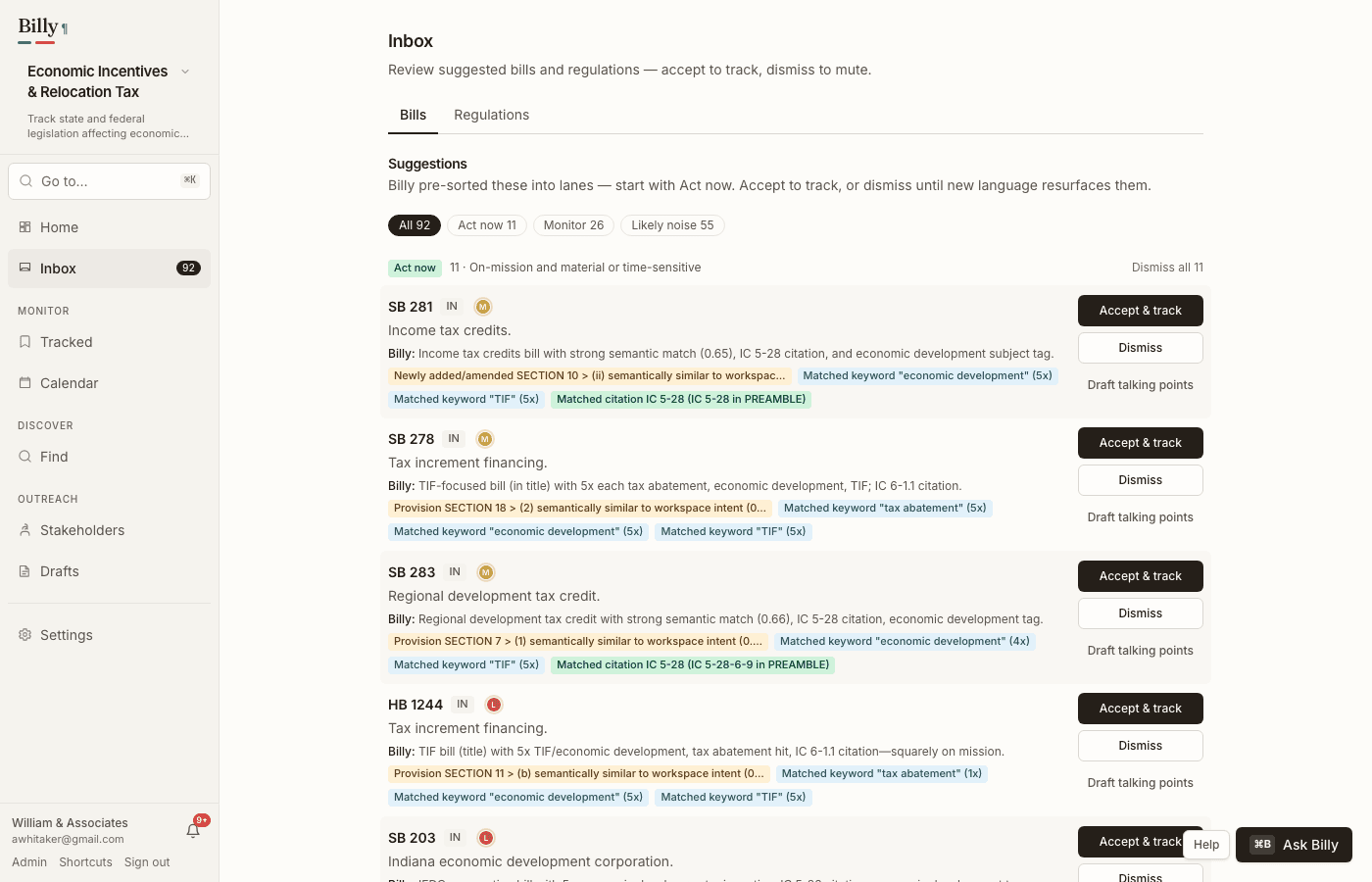
Accept, dismiss, track
Open suggestions live under Inbox. When agentic triage has run, lane chips (track / watch / ignore) help you focus — see Agentic assists. Matching APIs are unchanged.
- Accept moves the bill onto Tracked. Tracked bills get version events, summaries (when gated), and digest coverage.
- Dismiss mutes the bill as then written — not forever — and contributes to learned weights when enough history exists.
Resurfacing
If a later version’s new or amended provisions independently clear min_score + 0.10 (or introduce a fresh citation match), the suggestion returns in state resurfaced with a reason like “previously dismissed — new amendment language matches.”