Documentation
Statutes
Invert the usual bill-first view: ask what’s pending against a code section, with a typed citation graph.
Statute-centric dashboard
Open Find → Statutes. Search by citation prefix (for example IC 6-1.1 or IC 6-1.1-12.1). Billy lists code sections with how many bills touch them and which identifiers are involved.
Select a cite to see every matching bill, its status, latest action, and the provisions that referenced that section. For a full section citation (like IC 6-1.1-12.1-4), Billy also shows the published law itself — the section’s current text, history line, and a link to the official source — plus an “In this chapter” view listing neighboring sections with how many pending bills touch each one.
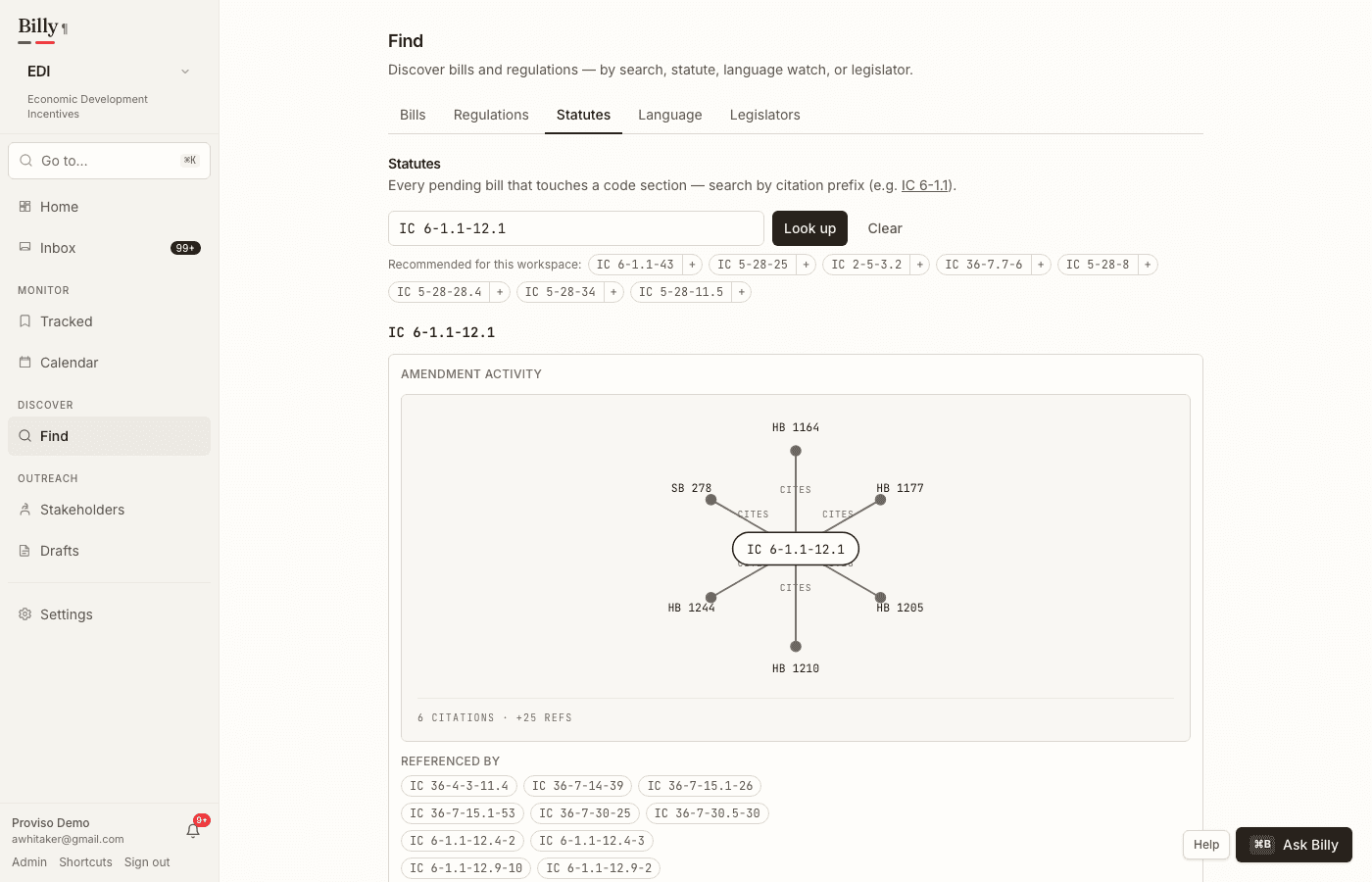
Suggested statutes
Billy reads your workspace intent and recommends the code chapters most relevant to it — each with how many pending bills currently touch it. Recommendations appear in Settings under your watched citations and as chips on Find → Statutes. Click a chip to open the chapter; click + (or + Watch) to add it to your watched citations, so future bills amending that chapter surface automatically.
Citation graph
Billy maintains a typed citation/amendment graph extracted from bill markup and citation patterns — not a generic LLM knowledge graph. Edges are amends, adds, repeals, or cites (the conservative default when the action is unclear), with effective dates when the bill states them. Opening a section on Find → Statutes shows the amendment timeline plus statute cross-references in and out of that cite.
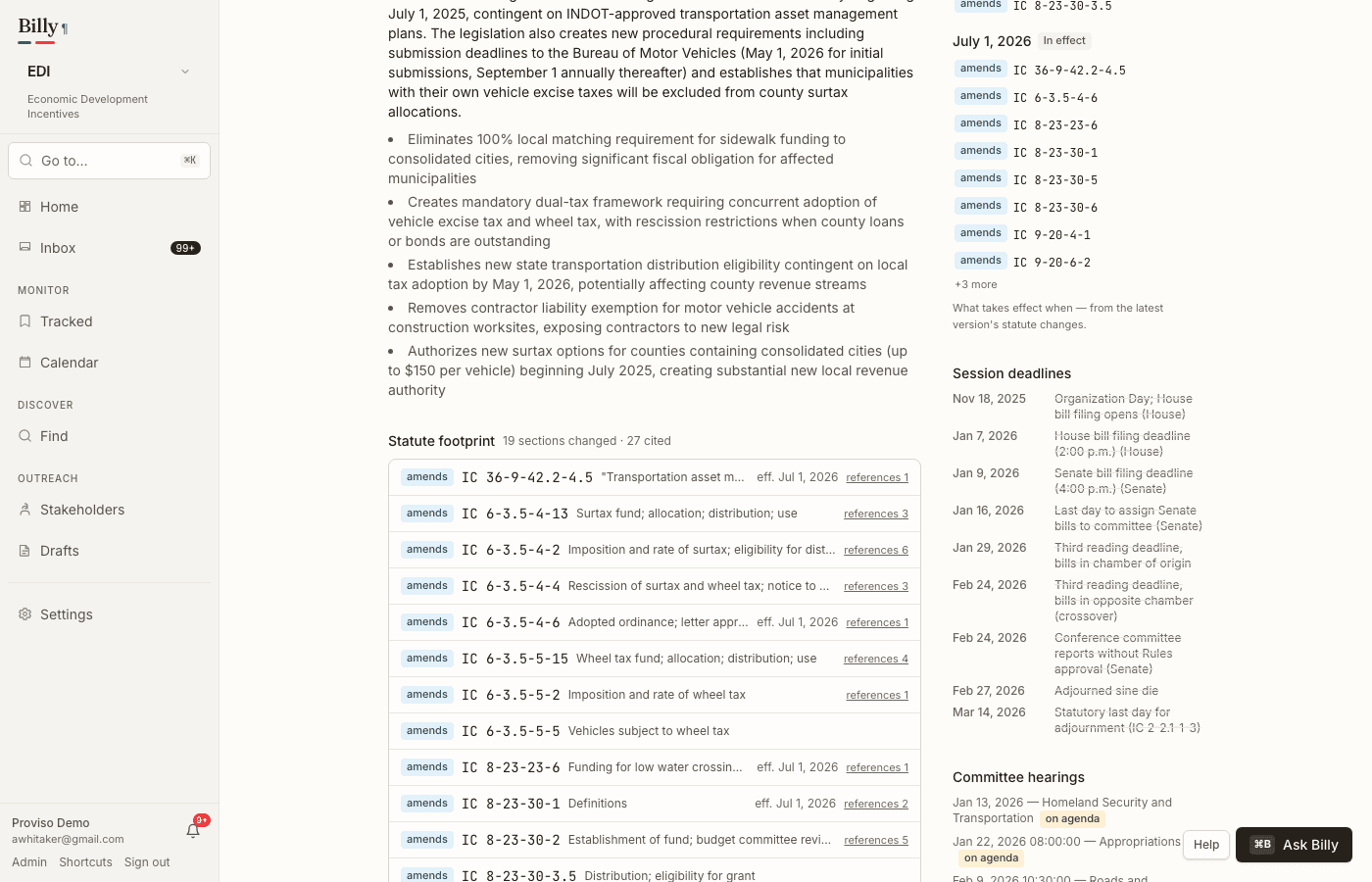
On a bill overview, the Statute footprint lists every code section the bill changes, with expandable one-hop references — “what does this bill touch, and what else does that section point to?”
Collision alerts
When two or more pending bills amend the same citation, Billy flags a collision. That is the “HB 1003 and SB 412 both touch this section” moment — useful for counsel coordinating positions or spotting conflicting amendatory approaches. Hard collisions also appear on the citation graph when multiple pending changers share a cite.
Citation chips from diffs
- Summaries and provision views surface citation chips when the bill text amends identifiable code sections.
- Chips deep-link into the statute dashboard so you can jump from a Diff Viewer claim to the full set of bills on that cite.
Position
From tracked bills (and related bill views), set a workspace position in one control — support, oppose, monitor, or amend — plus an intensity — normal, high, or critical. The chip reads like “Oppose · Critical” when intensity is elevated. Changes land in the feed with an optional rationale note. Positions help teams coordinate without leaving Billy for a spreadsheet.
Law as amended
For amendatory bills, the Diff Viewer’s Law as amended mode shows how each cited code section would read if the bill were enacted — derived from the bill’s own strikethrough/insert markup. See Reading a diff.
When the published Indiana Code is ingested, Billy also checks the bill’s “current law” text against that edition and surfaces a compact badge (matches code, already codified, drifted, or not found). Badges appear after normalize (and again when the code archive changes).
Each section card also has a chapter button that opens the published code alongside the bill: the surrounding chapter with the amended section highlighted, neighboring sections readable in place, and pending-bill counts showing what else is in play nearby.